Edit long videos on your own PC.
Split scenes, add captions from speech in dozens of languages, and export clean MP4s. No account, no watermark.
v3.9.2 · Windows 10 and 11 (64-bit) · Updates itself
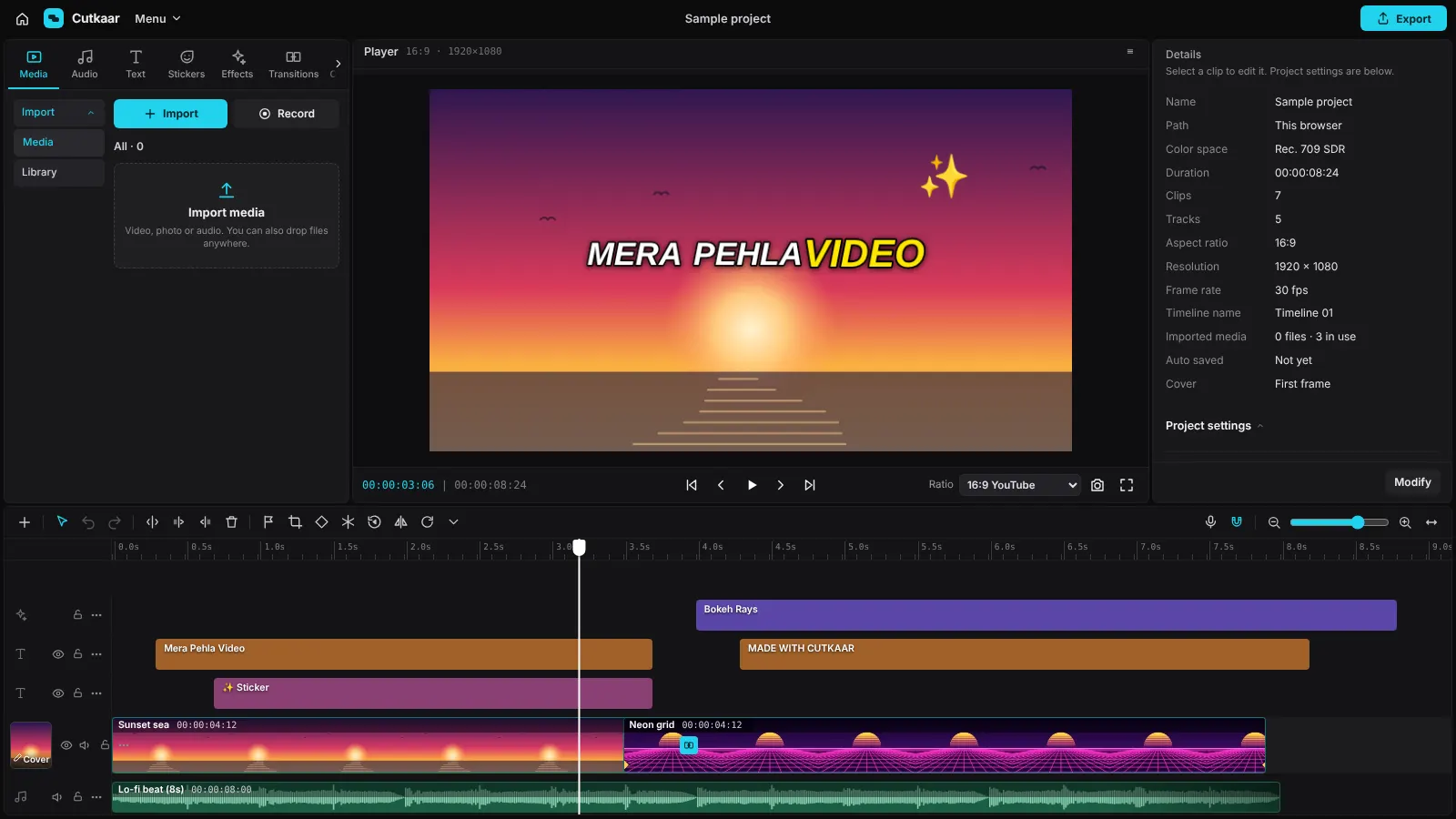
Everything you need to make a video
A timeline like the editors you know, with the tools people use every day: cutting, captions, text, music and export.
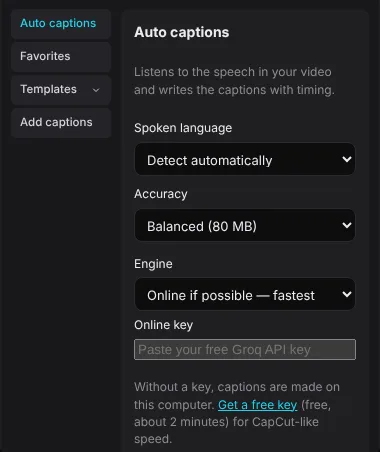
Captions from your speech
Cutkaar listens to your video and writes the captions with the right timing. Fix any word by clicking it.
- English, Urdu, Hindi, Arabic and many more languages
- Online engine: a 15-minute video takes seconds
- Offline engine works without internet
- Styles, highlighted words and animations
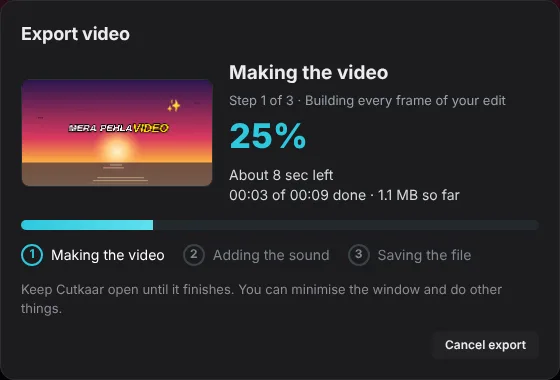
Export that shows you what it is doing
Choose 480p up to 4K and 24 to 60 fps. While it works you see the frame being made, the percent and the time left.
- MP4 video, MP3 or WAV audio, GIF and caption files
- Uses your graphics card when it can
- File size shown before you start
Get Cutkaar
Install in three steps
You only install once. After that Cutkaar updates itself.
- DownloadClick Download and open Cutkaar-Setup.exe from your Downloads folder.
- Allow it to runIf Windows shows “Windows protected your PC”, click More info, then Run anyway. This appears because Cutkaar is new.
- Start editingClick Next, then Install. Open Cutkaar from your desktop and click Create project.
Questions
Is Cutkaar really free?
Yes. There is no account, no watermark on your videos and no time limit.
Why does Windows show a warning?
Windows warns about programs that are new and not yet widely downloaded. Click More info, then Run anyway. The warning goes away as more people use Cutkaar.
Do I need internet?
Not for editing or export. Internet is used for updates, to download the offline speech model once, and for the fast online caption engine.
Where are my projects saved?
On your own computer. Cutkaar uses your videos from where they are and does not upload them.
How do updates work?
Cutkaar checks for a new version when it starts. When one is ready you see “Update ready” with a Restart button. Your projects stay as they are.
What does my computer need?
Windows 10 or 11 (64-bit). For long 1080p or 4K videos, 8 GB of memory or more works best.